I can already hear the reactions to the name of the post.
“You *have* a job during Paternity leave mister! Taking care of baby!”
Of course, that’s a given! But as many new fathers know, when baby comes, and work suddenly stops, sometimes you inadvertently create a new job for yourself. In between the diaper changes, swaddling, bouncing, and (eventually) beautiful smiles, you may realize that it’s going to be very hard to stay away from a computer for that entire Paternity leave time. Especially if you’re a Software Engineer like me! And hm, perhaps you could use all of that stuff you’ve learned at work over the years to benefit baby and your family.
So you find ways to keep yourself occupied with things that are kind of in the shape of your job, but not your job when you’re not tending to baby. Of course…if you don’t like your job, or have other ways of nesting with the little one having arrived, this probably isn’t what you do.
But if you’re like me and you’re a Constant Tinkerer, it’s hard to resist!
Enter: Baby Tracking Automation
You could skip this section if you’re a parent as you already know it all, but when you have a baby, it’s helpful to track a few basics like:
- How often and for how long they’re sleeping 😴
- What they are eating, how much, and with what method (bottle vs breastfeeding) 🍼
- Diaper changes (and their contents sometimes, fun) 🧷
Why? Because it helps you predict what’s going to come next.
If baby wakes up at 7am and starts getting sleepy at 8:30am for their first nap, it’s likely they’ll do the same or something close to it the next day, and the same goes for the other data logged.
With a newborn, especially as a new parent, it feels good to track this stuff so you can sort of predict it and on the flip side get a sense for if something is wrong. And it doesn’t hurt to at least to feel like you have some control over this crazy new situation!
So you start tracking all of that stuff in a little notebook or chart the hospital gave you. Or an app from the App Store.
But wouldn’t it be nice if you could self-host your own app, so you can truly own your baby’s data?
Home Assistant + Baby Buddy can help
Some of you may have heard of Home Assistant , but if not, it is:
“Open source home automation that puts local control and privacy first. Powered by a worldwide community of tinkerers and DIY enthusiasts.”
Since a few years after the SmartThings platform was sold to Samsung in 2014, I’ve been a Home Assistant nut! As a Software Engineer and lifelong technology enthusiast, Home Assistant is just amazing.
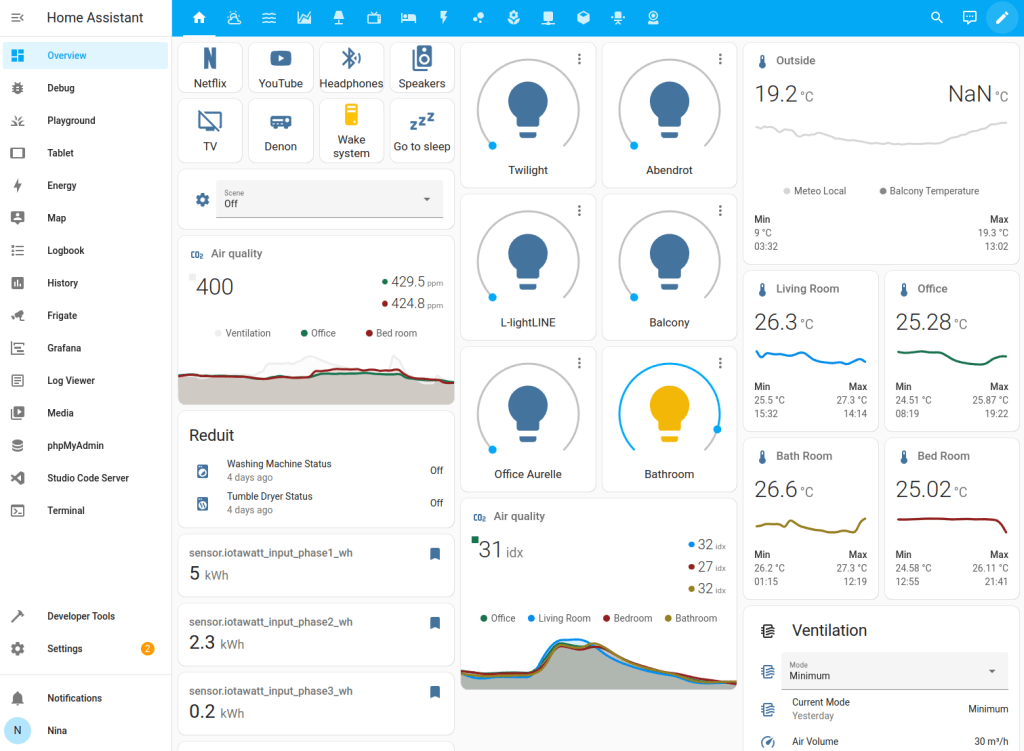
For the uninitiated, you can hook it up to almost any device under the sun, say the Hue bulbs in your living room, and have them respond to any other device or sensor, like turning those bulbs on at sunset or in response to a motion detector when someone enters a room.
Cool, but what is Baby Buddy?
Home Assistant can integrate with the open source baby tracker Baby Buddy! This is an excellent interface for entering the kind of baby data I mentioned above, and more, then viewing reports you can show your Pediatrician or prying grandparents.
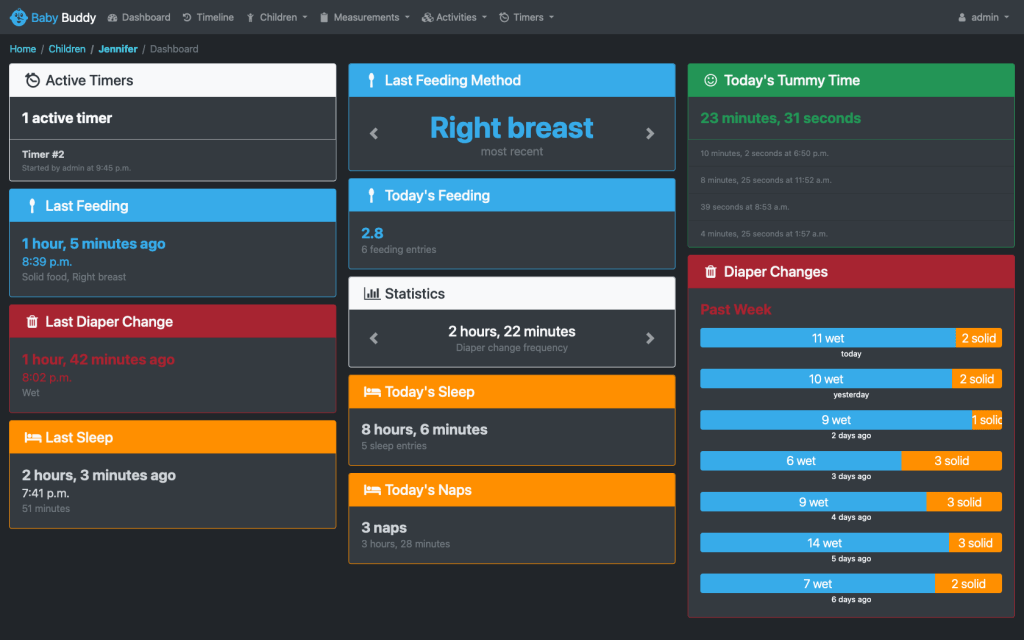
My first contribution to the wrapper for it to bundle it into Home Assistant, addon-babybuddy , was started 1 month into the 3rd trimester 👶. The Pull Request I wrote is to fix the CSRF trusted origins setting to allow you to view Baby Buddy from within Home Assistant. I didn’t need my wife or myself to have to open another new app to log and view baby statistics since she already has an HA login!
So the PR fixed things so you could easily access Baby Buddy if just signed into Home Assistant, building on top of the work of another PR that almost was merged. I didn’t get my branch merged until 3 weeks post-partum, but I ran the local fork until then and it all went great in the end. And so began my open source baby tracking journey.
Going further with buttons
With a newborn, it was slightly difficult to hold my phone in one hand to record things into Baby Buddy, so I’d often have to ask my partner to log things (thank you love!)
I found some posts and online inspiration where other parents had added buttons and other logging methods to Home Assistant so they could log a #1 or #2 for instance with just a button press. Of course, I had to try this!
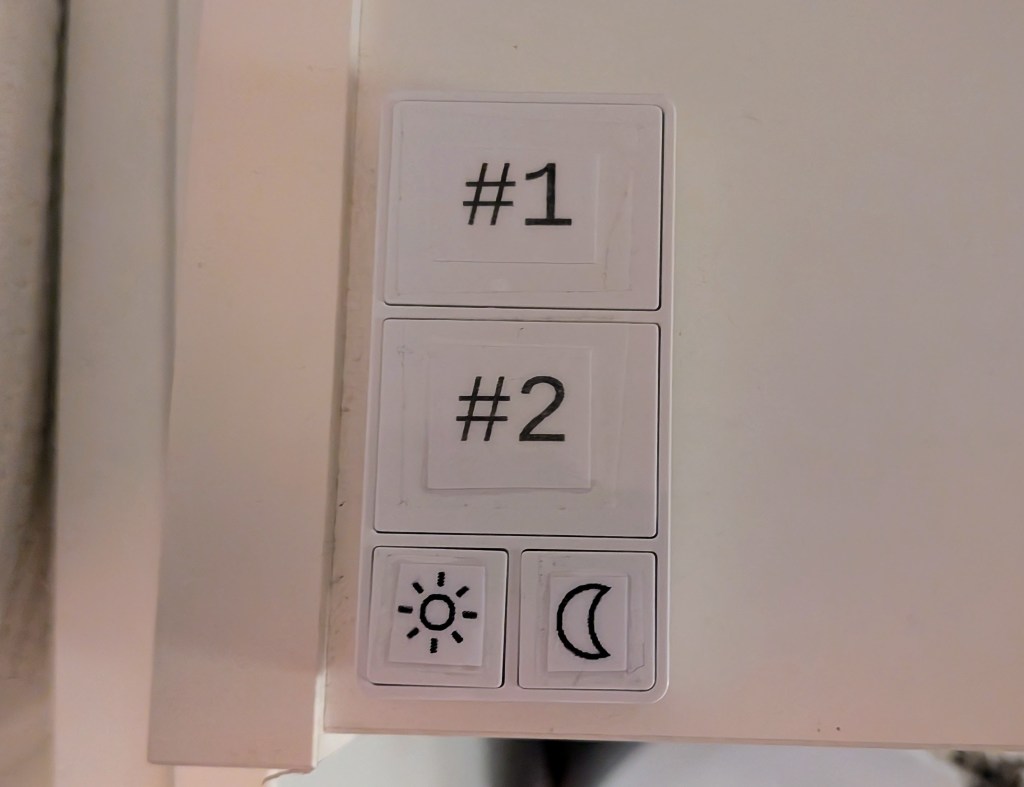
The first button I set up was the Changing Table button. Enter the Minoston 800 series Z-Wave button, which I already have deployed in many spots in the house. The big buttons on the top I used to log baby’s diapers. The smaller ones on the bottom I initially didn’t have a use for, but then quickly found would be great to make a “sort of bright” and “sort of dim” setting for changes in the middle of the night.
This is our most-used button, we still use it today!
Tracking feedings
I set up 2 more Minoston 800s to track feedings. Baby Buddy ships with a timer feature that you then convert into feedings, tummy time, and other entries in the tracker. For example, you could time a feeding for 15 minutes, then hit the “Add Feeding” button on the timer.
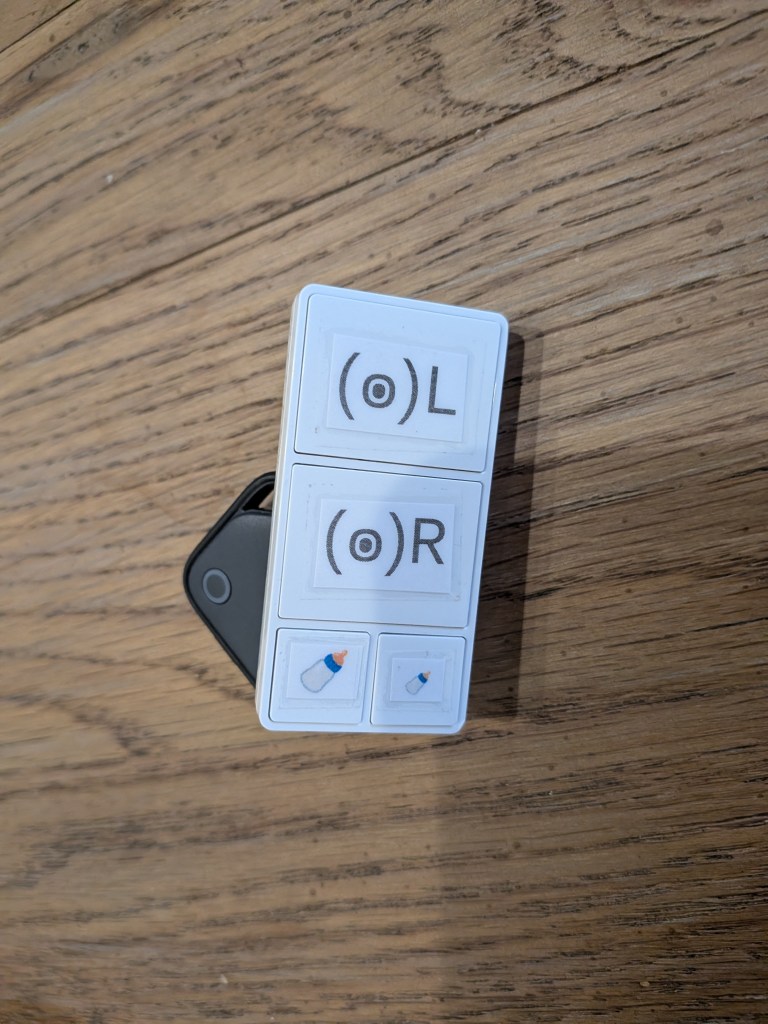
I set up my buttons so the top one toggled a Left Breast feeding timer and vice versa. I also put the two most common bottle sizes on the small buttons to track those.
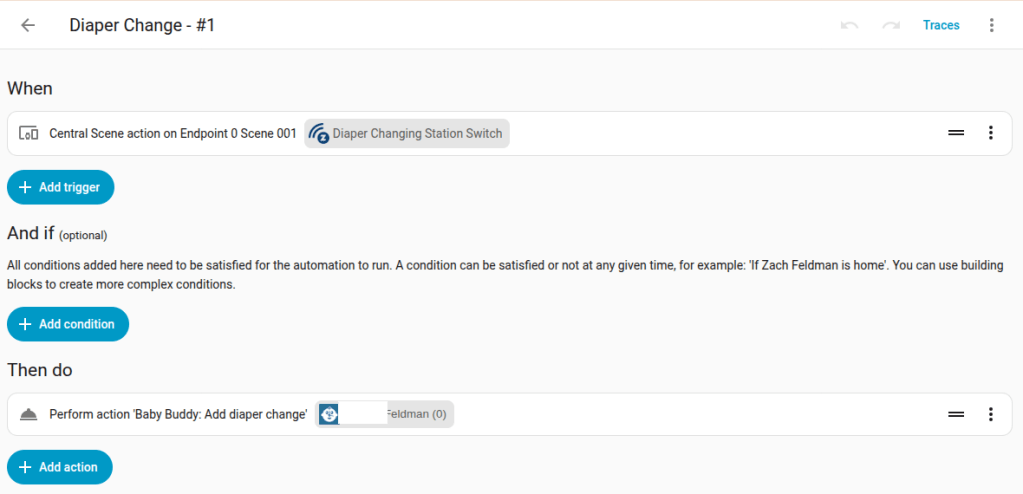
The way this was set up is through Home Assistant automations. There’s a component to add Baby Buddy actions/logging as Home Assistant devices and actions. Combine this with your Z-Wave button trigger and presto, you’ve got a hardware baby tracker:
How it actually went
Many users of Home Assistant joke about the WAF or HAF (Wife or Husband approval factor), AKA, the better half is happy and not annoyed by your set up or automations.
My wife is also a Software Engineer (although now a Baker by trade) so she was pretty open to trying all of this stuff out, which I’m thankful for!
We both used the buttons and Baby Buddy quite religiously for the first 5 – 6 weeks of baby’s life. I even worked on some more contributions like fixing double submissions with a loading spinner on Baby Buddy buttons and even the beginnings of a plugin ecosystem with a plugin to track books when baby was asleep. Full disclosure, I vibe-coded with Claude and AI, while checking the source and testing on my local instance. Claude and I only completely wiped the baby’s data twice while developing new features for this stuff 😅 (sorry love!) I was able to restore the data, missing only a few hours in the worst case, back ups are key. Otherwise things are super stable if you just run the Baby Buddy system on HA stock.
What lasted past the newborn phase and what hasn’t
After the first 5 or 6 weeks, we both got much more comfortable with baby’s habits and what we needed to do as parents. We still track the changing table habits mostly because of the easy button to do so, but aren’t really looking at the summary data much anymore.
As far as feedings go, we just text each other at night because it’s easier than logging them. During the day, we use a paper tracker in a plastic sheath and a white board marker for naps and feedings.
I’m totally fine with this approach, as we get to know our awesome new baby, we sort of can take over most of those app functions that were so helpful before ourselves. It helps that we’re getting a lot more sleep than in month one as well….for now!
This is fun, but focus on baby is #1!
It’s fun to set all of this stuff up, but even more important to me than all of this tracking and predictive tech is of course my adorable new addition to the family. Once I got the basics set up with the buttons/tracking/reports, I tried to focus on that main job once again as much as I could.
Lately I’ve taken to putting my phone in a box while I’m with baby so I can give her my full attention. I can always check HA when she’s napping or asleep!
Enjoy your new additions, whether they be to HA or the family, and if you have any questions about how to set this up hit me up in the comments.



Leave a Reply